
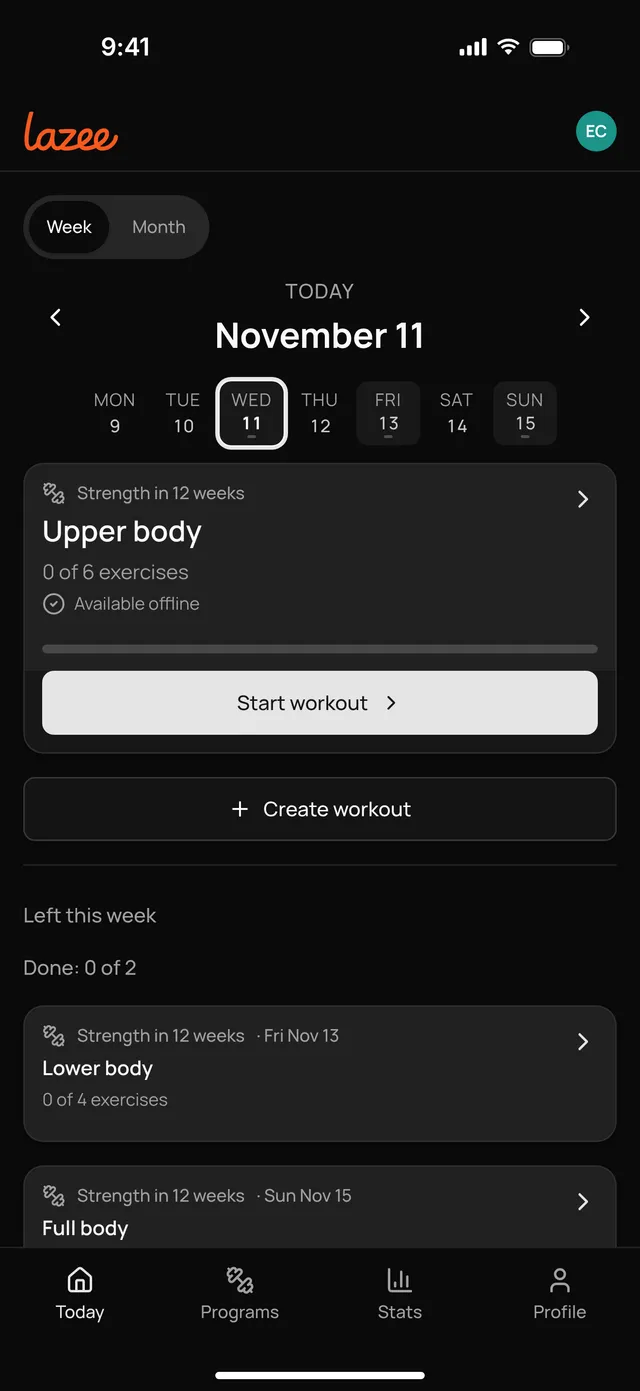
Today’s plan is already on screen
The week and today’s workout on one screen. Tap Start workout and the clock starts.
Log your sets and let LazeeFit do the math.
Free on iPhone, Android and the web.
The week and today’s workout on one screen. Tap Start workout and the clock starts.
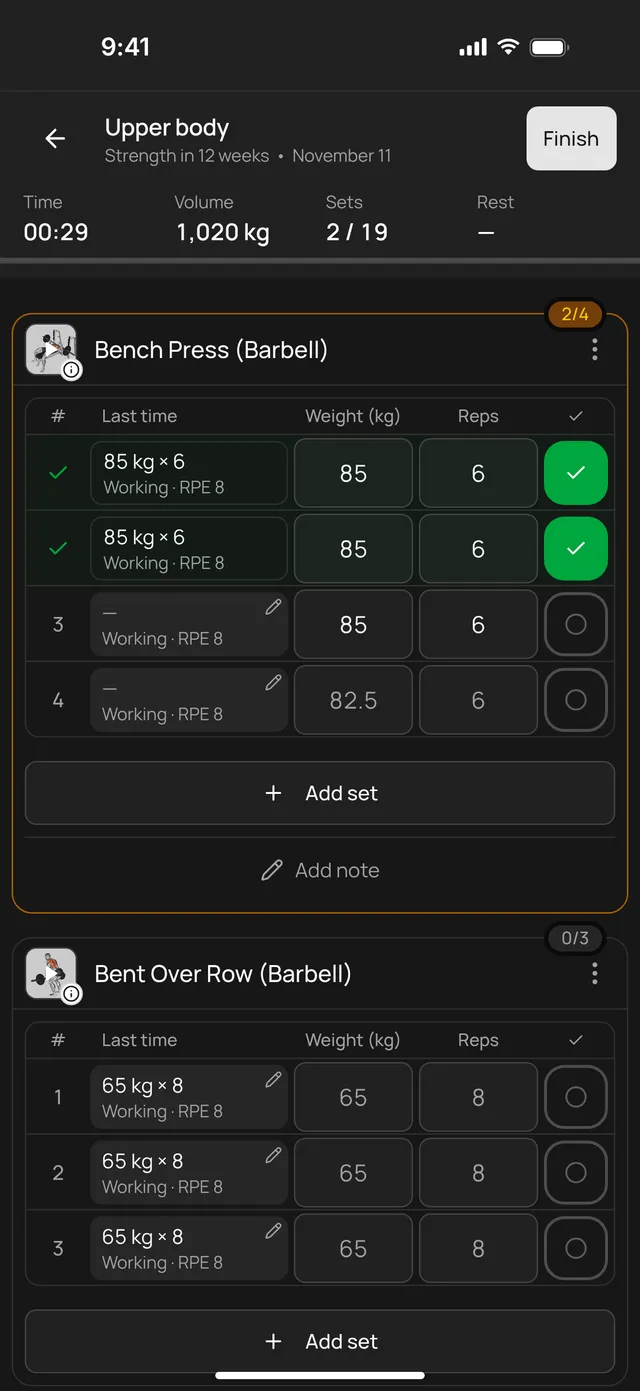
Every set shows what you lifted last time. Enter the weight, tick it off and move on to the next one.
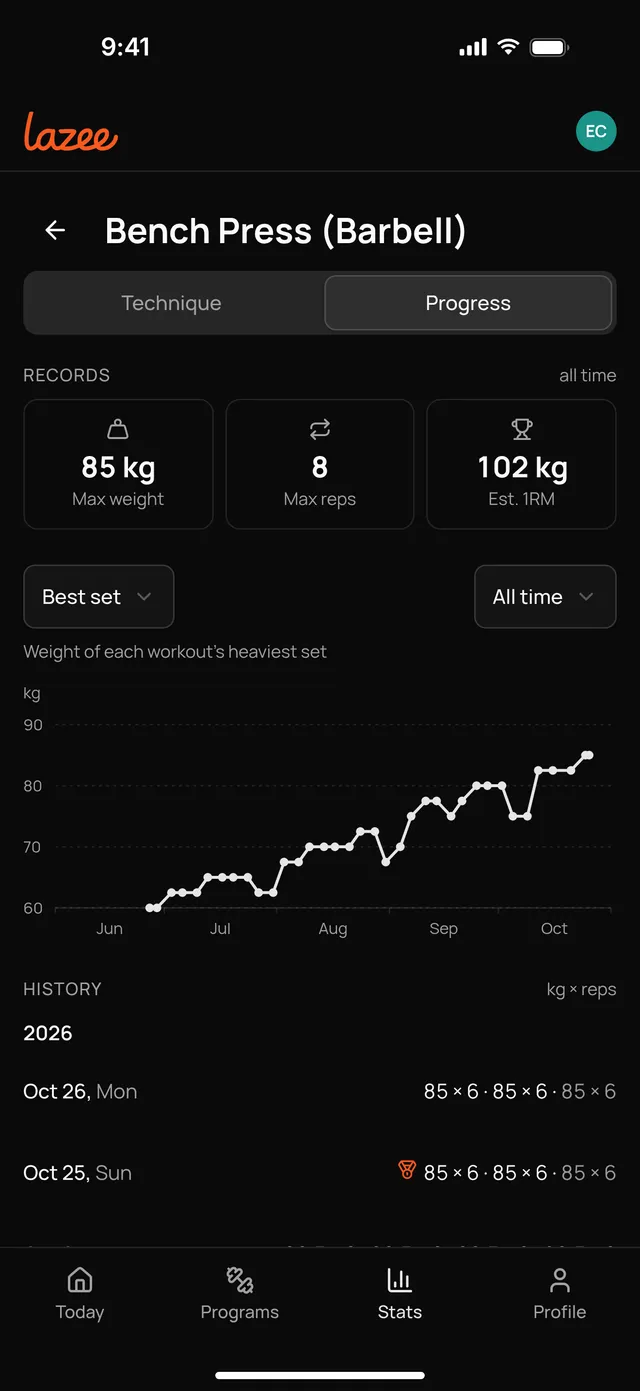
Records, best set and a chart for every exercise. Your history shows when it’s time to add weight.
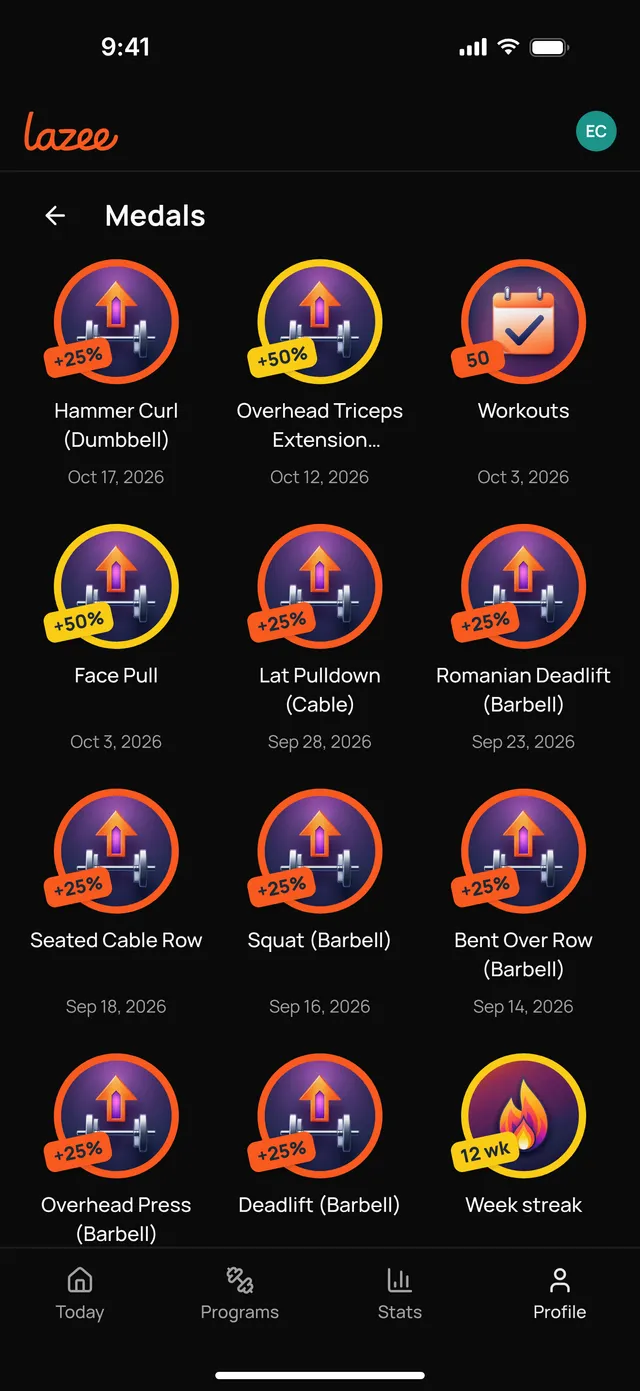
A medal when your best weight in an exercise is up 10, 25, 50 or 100% on where you started, and a week streak medal for weeks in a row with a workout.
Every ticked set adds to the workout’s volume and is compared with your previous best.
LazeeFit turns your log into a clear picture: where you’re growing, where you’ve stalled and how much you’ve done.
Example data
Barbell bench pressBest set per workout, kg
+12.5 kg in 3 months
Workout calendarWorkouts over the last 12 weeks
Example data
Ready workout templates. LazeeFit workout templates: a template you take becomes your own copy to edit.
A week plan that only suggests. For your own routines, follow the week plan or train freely. The plan only suggests: start your own routines on any day.
Repeat a workout. Run a recent workout again without building it from scratch.
Exercise library. Build your own workout from 450+ exercises. Nearly all come with a technique video and step-by-step cues.
Last result in the row. “Last time: 85 kg × 6” sits right next to the field where you enter the new weight.
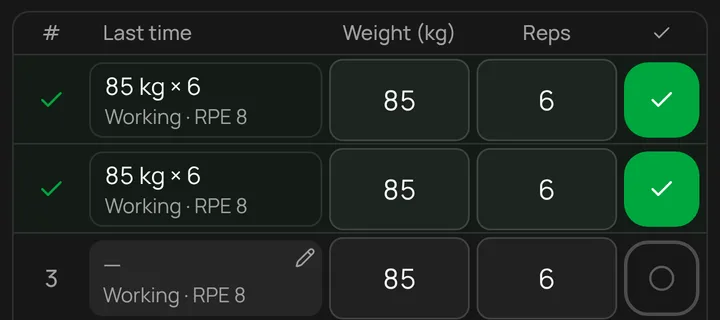
Log a set in one tap. The tick on an empty set logs it as planned. An accidental double tap won’t log the next one.
RPE. Note how hard it felt. Handy when deciding whether to add weight.
Swap on the fly. Machine taken? Swap the exercise without leaving the workout.
Rest timer. Starts on its own when you tick a set and shows how long you have been resting.
Supersets. Group exercises into a superset and they stay together as one block. Partner machine taken? We suggest a swap that fits the pair.
Offline. No signal? Your workout keeps going and syncs when you're back online.
Four kinds of personal records. Heaviest weight, estimated 1RM, best set volume and most reps, each with how much it beats your last best.
Muscle load. Stats show the share of sets per muscle group and compare a week or month with the one before.
Body measurements. Log weight, body fat and measurements, with a history of readings.
Phone and browser. iPhone, Android and the web. Your log syncs across devices.
Your coach builds the program in LazeeFit and it appears on your Today screen. They see your actual sets: weights and reps.
A separate page for coaches is coming.For people who train, LazeeFit is free: workout logging, history, records and charts. You don’t need a subscription or a card.
On the App Store and Google Play. Or open the web app at client.lazeefit.com, which works in any browser.
No. Build workouts yourself from the exercise library and log them your way. If you get a coach later, they can guide you in the same app.
Synced workouts stay in your account and show up on the new phone. Entries made offline live on the phone first, so before changing phones let any pending entries finish syncing.
Open Profile, then the Settings tab and Danger zone, tap “Delete account” and confirm with your password. Your account and all your records are deleted immediately and for good. See the step-by-step guide.